KingCMS X1 is a free, source-available AI entry point for businesses. One system manages your website, online store, members and inventory, so both customers and AI can find you. On this page you can see the product capabilities, actual page demos, and the information needed for deployment, use and licensing.
A. What capabilities can be seen currently
The following content all comes from the actual pages and operation screenshots of the current version and can be reproduced in a local test environment.
Single page and category management
Purpose: Create standalone pages (such as product introductions and About Us), set the name, path name, parent category, type, sort order, whether visible to visitors, whether included in navigation, and fill in the lead, body, and SEO information.
Article display
Purpose: Publish article lists and article body pages for customers to read usage instructions, buying guides, and similar content.
View the article list on the demo site →
Site search
Purpose: Visitors enter keywords to find products and articles on the site. Searching for "gloves" on the demo site returns matching glove products (tested on 2026-10-19).
Language switching
Purpose: Switch the interface language (the demo site offers zh-CN, en, es-CL). Whether business content is displayed in the corresponding language depends on whether translations in that language have been entered.
Content maintenance
Purpose: Create or modify categories and articles in the admin, fill in the body, insert images, set the SEO title, keywords, and description, and add frequently asked questions (FAQ).
View the content creation steps →
Built-in ERP
Purpose: manage inventory, purchasing, multiple warehouses and finance in the same system, directly connected to store orders.
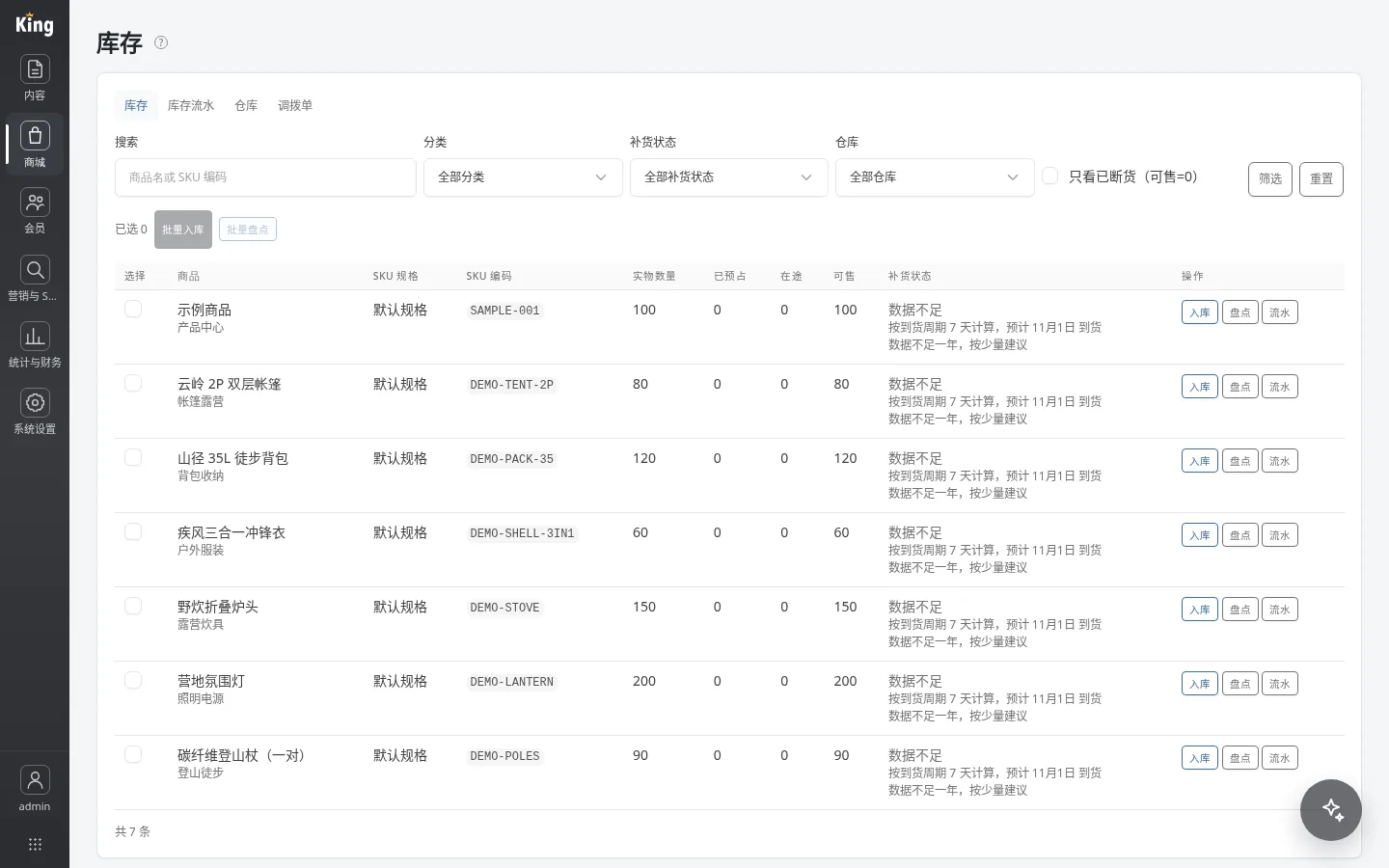
- Stock overview shows physical, reserved, in-transit and available quantities per SKU (available = physical − reserved), with a searchable, exportable movement history for each SKU.
- Single-item receiving and stocktakes, plus batch receiving and stocktakes with preview before writing and CSV import; set a replenishment threshold per product to generate suggestions.
- Supplier and purchase order management: drafts, ordering, cancellation and receiving into stock, with weighted average cost recalculated on every receipt.
- Multiple warehouses with priorities, batch-generated bin codes and transfer orders; choose the warehouse when receiving purchases; orders ship from a warehouse picked by priority.
- Single-entry cash ledger: successful payments, refunds, balance top-ups and adjustments, and purchase receipts post automatically without duplicates; the reconciliation page flags daily differences.
Keeping the store, orders and stock in one system means stock levels and ledger entries update the moment an order is paid. No spreadsheets to export, no API to wire up between your website and a separate ERP, and month-end reconciliation is far easier.
Deployment and updates
Purpose: Run on PHP 8.4 or later with pdo_sqlite enabled; the first visit automatically creates the database and guides you through creating an administrator. Online updates are available.
B. What to start with
You can start around one clear website task: organize the company introduction, publish product and service materials, and maintain articles and customer frequently asked questions. The specific scope of use depends on the features already provided by the current version and the actual conditions of the existing website.
- Publish a complete product introduction page as a single page: see the product page tutorial.
- Publish usage instructions and buying guides as articles: see the demo site article list.
- Organize customer questions within a page using frequently asked questions (FAQ): see the product page tutorial.
C. See the actual pages, then judge whether it suits you
The online demo is for viewing the pages and content organization of KingCMS X1. Demo products and test articles do not represent real customer cases.
The screenshots below come from a fresh install of X1.0.0-beta.1. The company name "Shanye Outdoor" is a fictional example, and product images are for illustration only.
Storefront home
Visitors can browse the hero carousel, latest articles, and newest products on the home page.

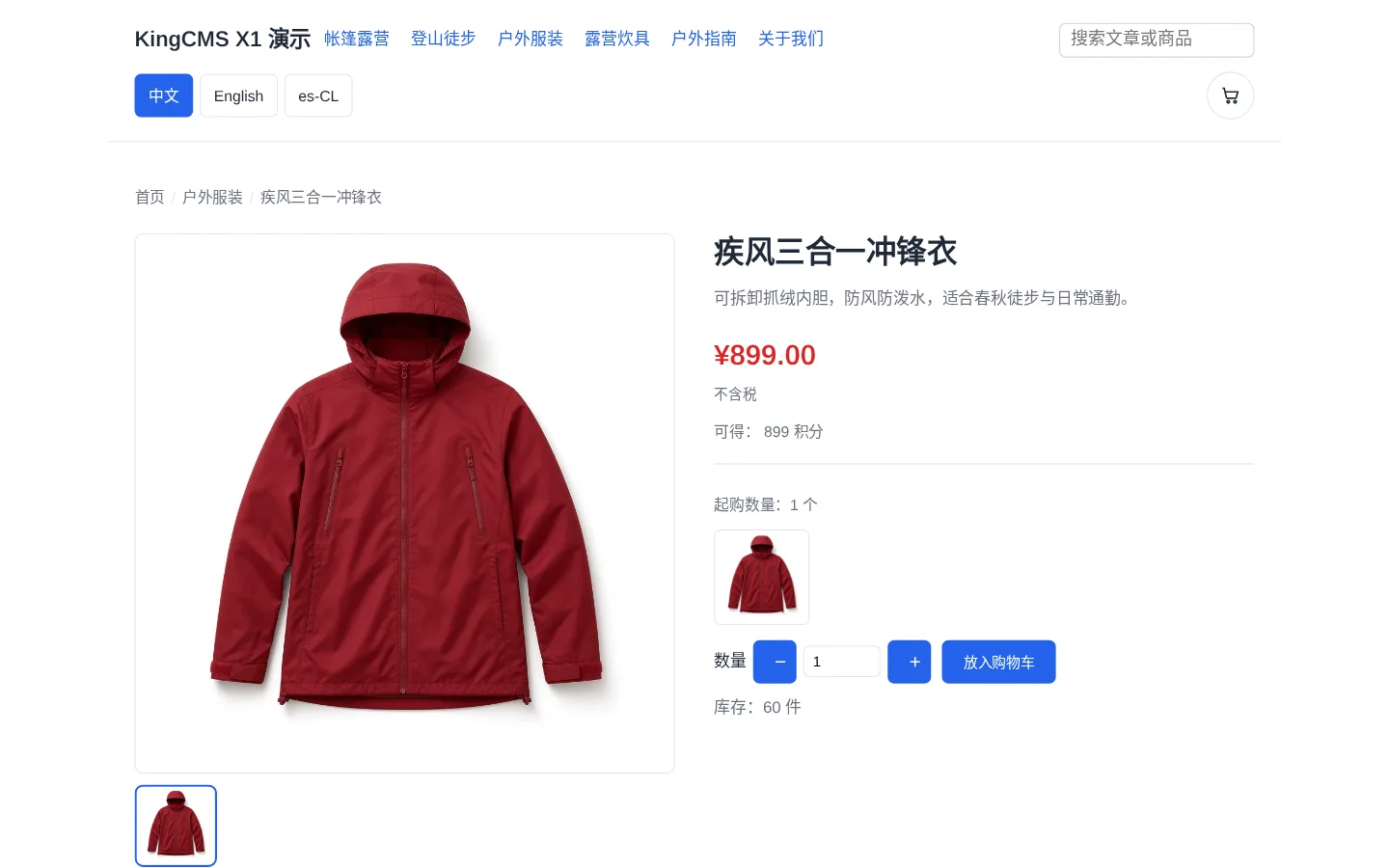
Product detail
Customers can check the jacket's price, stock, and options, then add it to the cart.
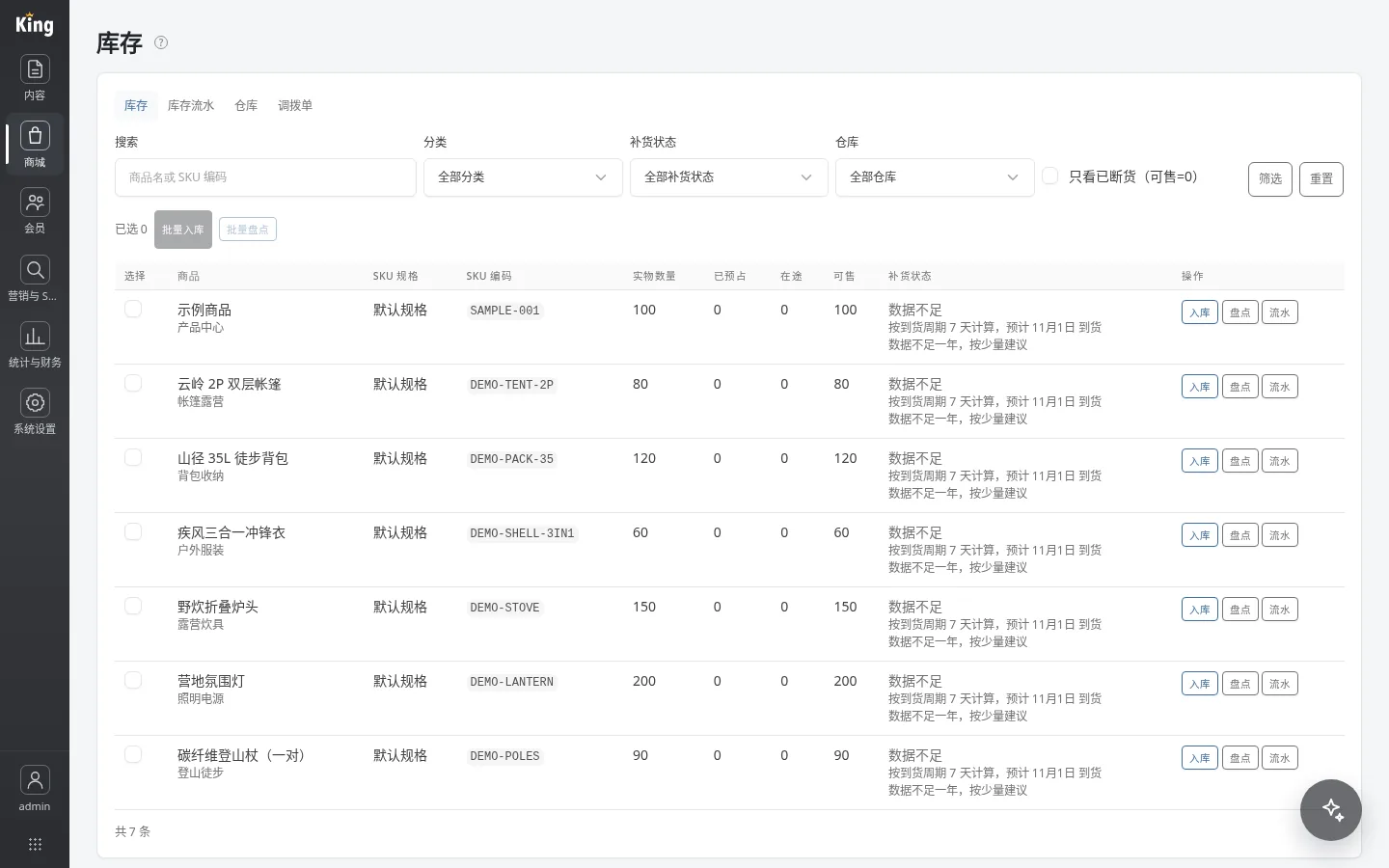
Inventory stock
Operators can review physical and sellable quantities, restock suggestions, and run stock-in counts.
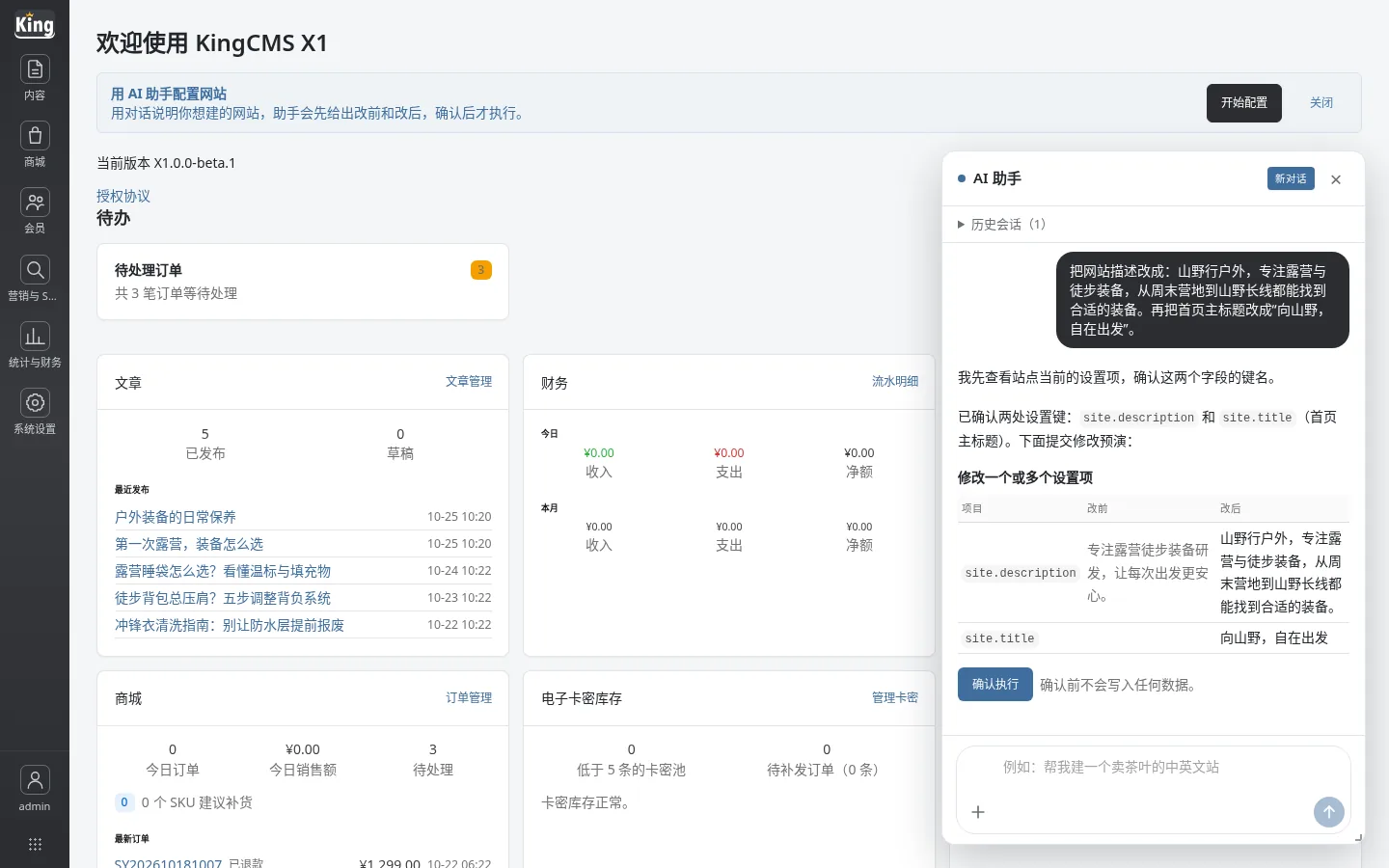
AI copy edits
Ask the AI assistant in one sentence to change the site description and home title, then confirm the preview before it applies.
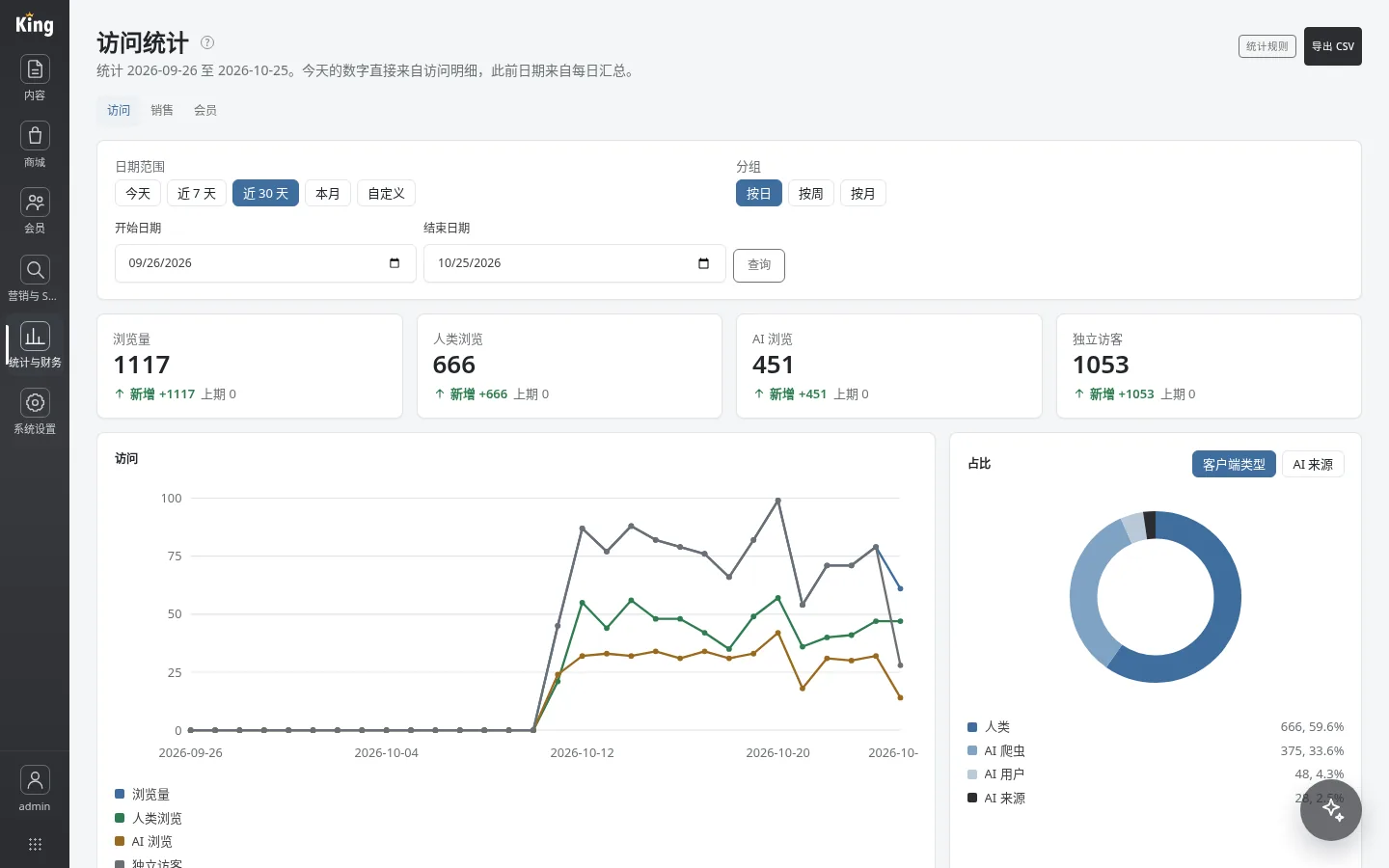
Traffic breakdown
See the share of human visits, AI crawlers, AI users, and AI referrals.
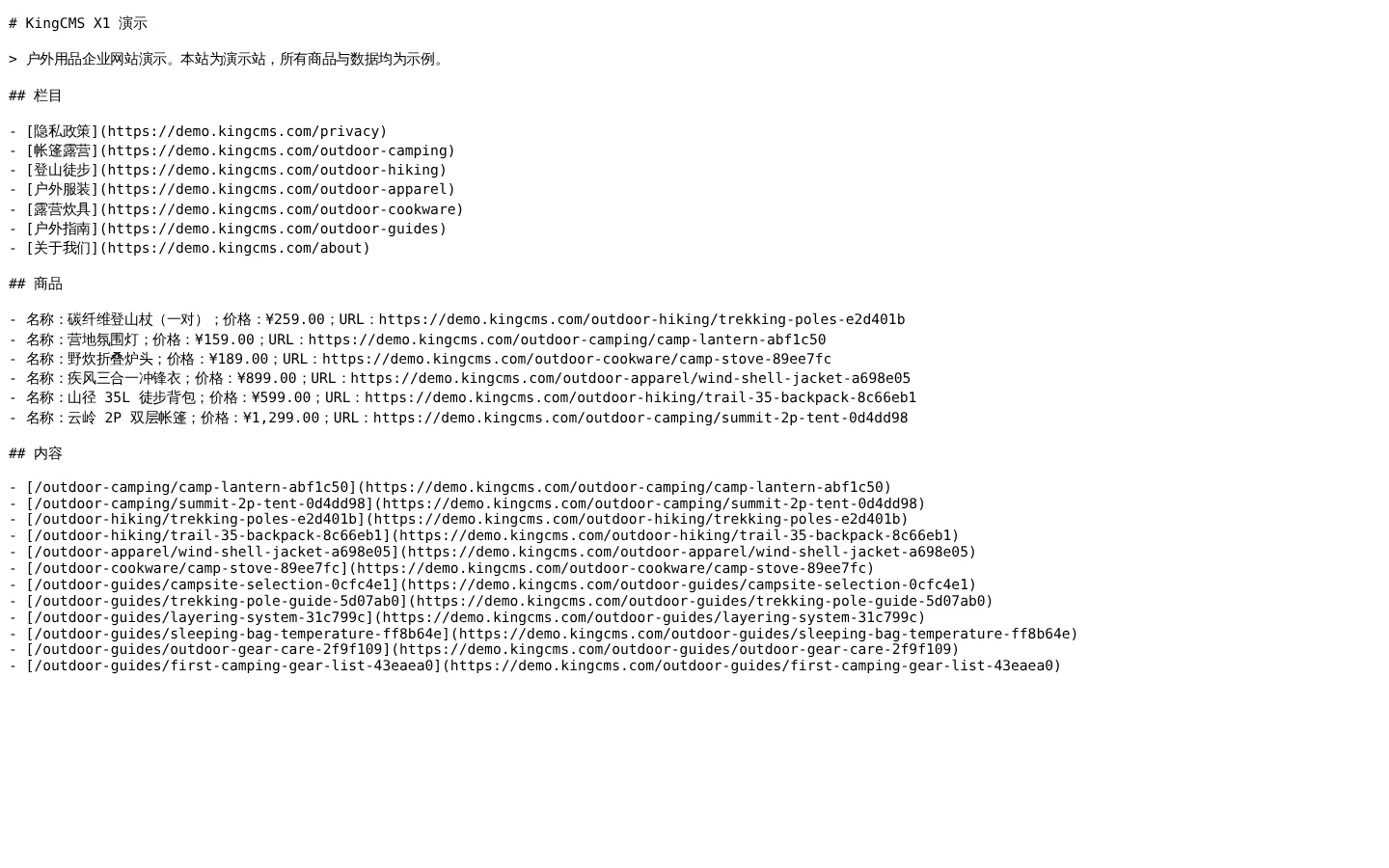
A list for AI, prepared automatically
The system automatically organizes your sections, products and content into a list for AI to read, so AI can understand your website more easily.
See what the website looks like → Try the admin yourself →
Click and change anything in the admin. When you log out, everything goes back to how it was, so nothing you do sticks.
D. Usage conditions
- Version: X1.0.0-beta.4.
- Runtime environment: PHP 8.4 or later with the pdo_sqlite extension enabled; uses a SQLite database.
- Installation method: Point the site root directory to public/ in the release package and ensure data/ is writable; the first visit automatically creates the database and guides you through creating an administrator, and the admin entry is /admin. See Installing and updating.
- Update method: Online updates are available; the admin can check for and install new versions.
- Download: https://download.kingcms.com/.
- Source and licensing: Subject to the current license agreement; see Pricing & licensing.
E. Licensing information
For requirements on retaining or removing the front-end Powered by KingCMS link, please refer to the current license agreement. If you need a commercial license, you can view the licensing information and submit an application.